 Fine Print Guard
How to use Fine Print Guard
Most of it works on its own. Here's what you can do when you want more.
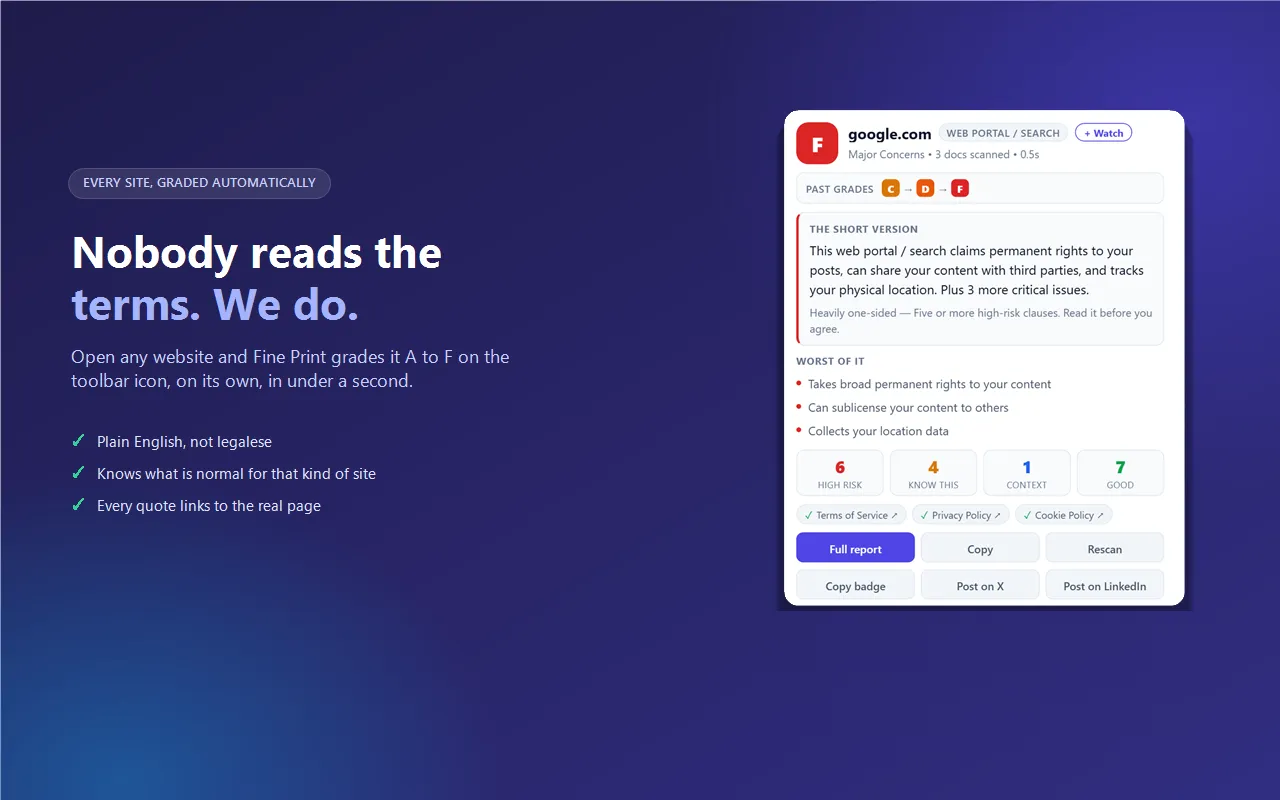
See a site's grade
The letter on the toolbar icon is the grade for the site you're on, from A (fair terms) to F (serious problems). Click the icon to see why, in plain English.
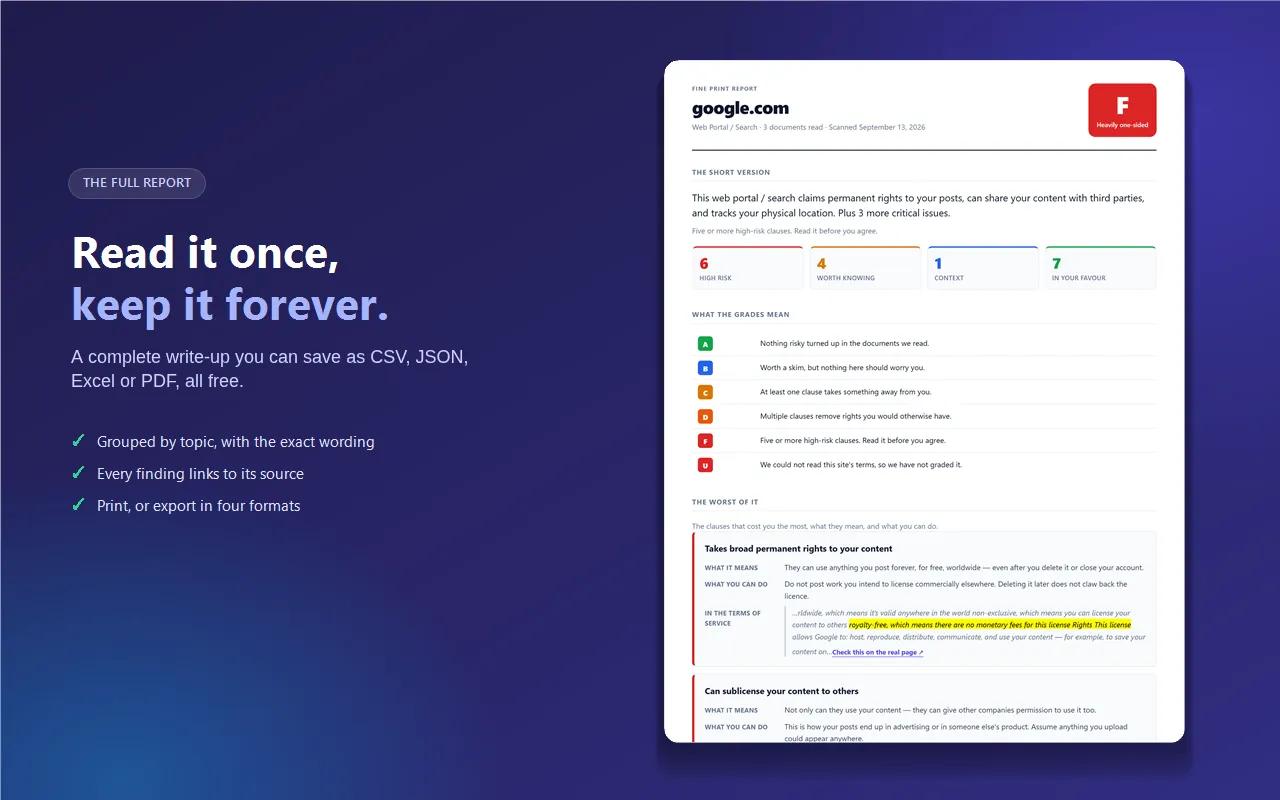
Open the full report
Click the icon, then Full report, or press Alt+Shift+R. Every finding links to the exact sentence in the site's terms, so you can check it yourself. Use Share image on the report to share a site's grade.
Pause blocking on one site
If a site looks broken, click the icon and choose Pause blocking here. Blocking stays on everywhere else.
Bring back something it hid
Press Alt+Shift+X to clear a box covering the page, or to bring back one it cleared. You can also click the icon and choose Clear a popup covering this page.
Check a page by hand
Press Alt+Shift+P, or right-click the page and choose Scan Page with Fine Print Guard.
Turn off the grade pop-ups
If you don't want grade cards on sign-up pages, switch off Grade pop-ups on pages on the welcome page, or in Settings. The grade on the icon stays.
Something not working?
Click the icon and choose Report a problem. It goes straight to the developer.